
Test and development labs
Rooms of racks, each machine with its own hardware and software versions. When a regression appears, compare the lab before and after and see the cause.
- Integration Lab
- Systems Room
- Rack 4
- Controller C-2
- firmware 5.0.2
Configuration management for physical things
Layertrail keeps a living record of how your lab, test site, or installation is put together: every room, rack, assembly, part, and version. Save that record at the moments that matter, and Layertrail will show you exactly what changed between any two of them.
Free and open source · macOS, Windows, Linux · your data stays in a file on your computer
The problem
Real equipment lives inside other equipment: a part in an assembly, in a rack, in a room. A flat sheet can't show that, and it has no memory of how things looked last week.
Firmware gets updated, a unit goes out for calibration, a switch moves to another rack. Each change is small. Weeks later, finding out which one mattered takes days.
Tools that track changes to code describe them as edited lines of text and expect you to manage commits and branches. That's the wrong language for a pump, a rack, or a display case.
What Layertrail is
Everything Layertrail does comes from three building blocks. Once these make sense, the rest of the app does too.
Your project is a hierarchy of nodes: sites, rooms, racks, assemblies, parts. Each node carries properties such as model, serial number, firmware version, or calibration date. Optional templates give every device the same typed fields and flag missing required values.
When the configuration is in a state worth remembering, such as before an upgrade or after a passing test, save a snapshot. It's a named, permanent copy of the whole tree, with an optional note about why it matters.
Pick any two snapshots, or a snapshot and the current state. Layertrail lists every node that was added, removed, moved, renamed, or changed, with before and after values.
How it works
These screenshots are from the real app, following a lab through a change that goes wrong. Select any screenshot to see it full size.
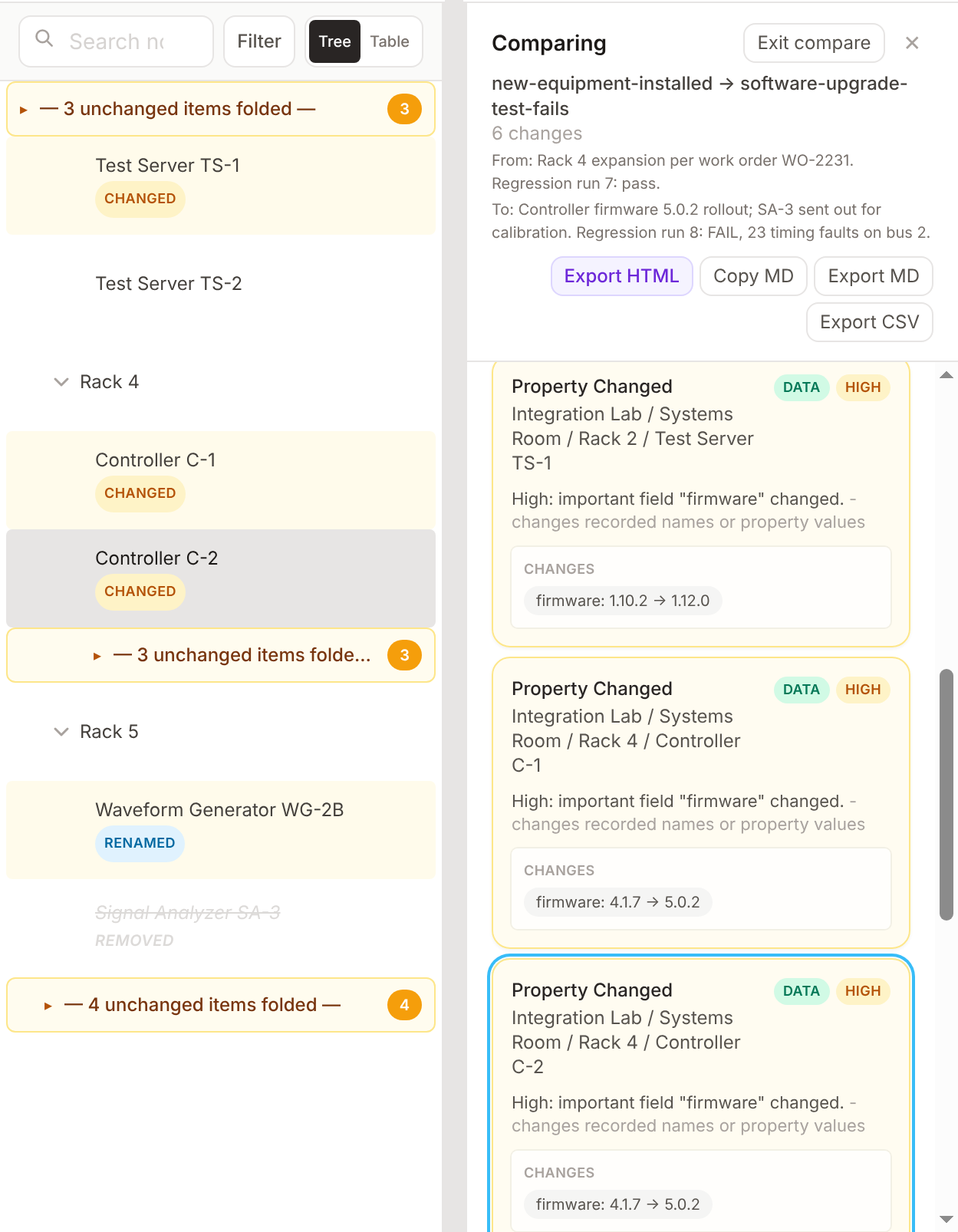
Build the tree by hand or import it from a CSV file or a NetBox export. Select any node to see and edit its properties. Layertrail saves as you go to a readable file in a folder you choose.
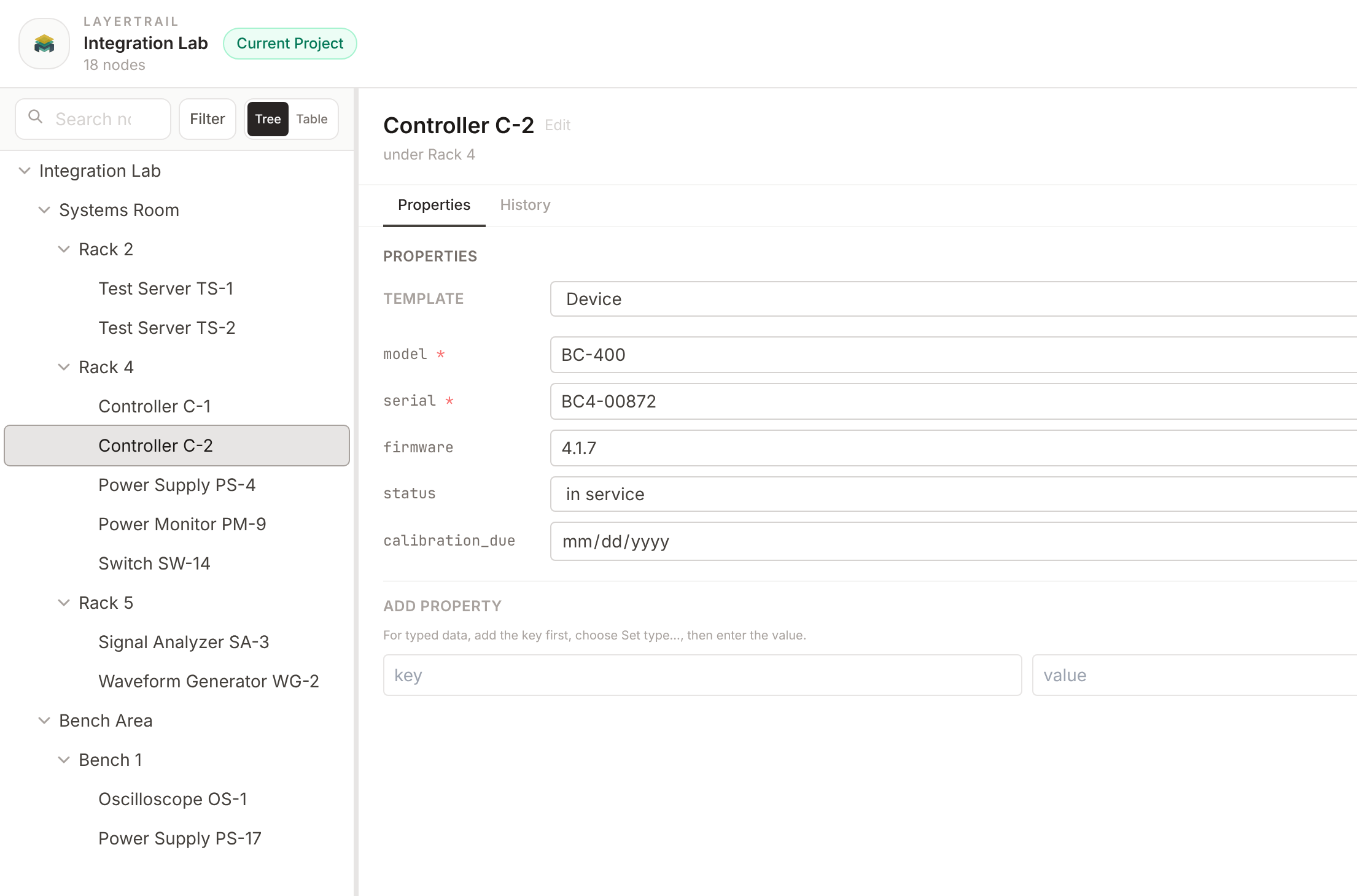
Save a snapshot before and after each change, with a note: the work order, the test run, the result. The timeline keeps every snapshot in order, and each node has its own history, so you can see when a controller's firmware changed and why.
Here, a power monitor was added and a switch moved from Rack 2 to Rack 4. Layertrail knows it's the same switch in a new place, not one removed and another added. It marks where the switch used to be and names its old and new parent.
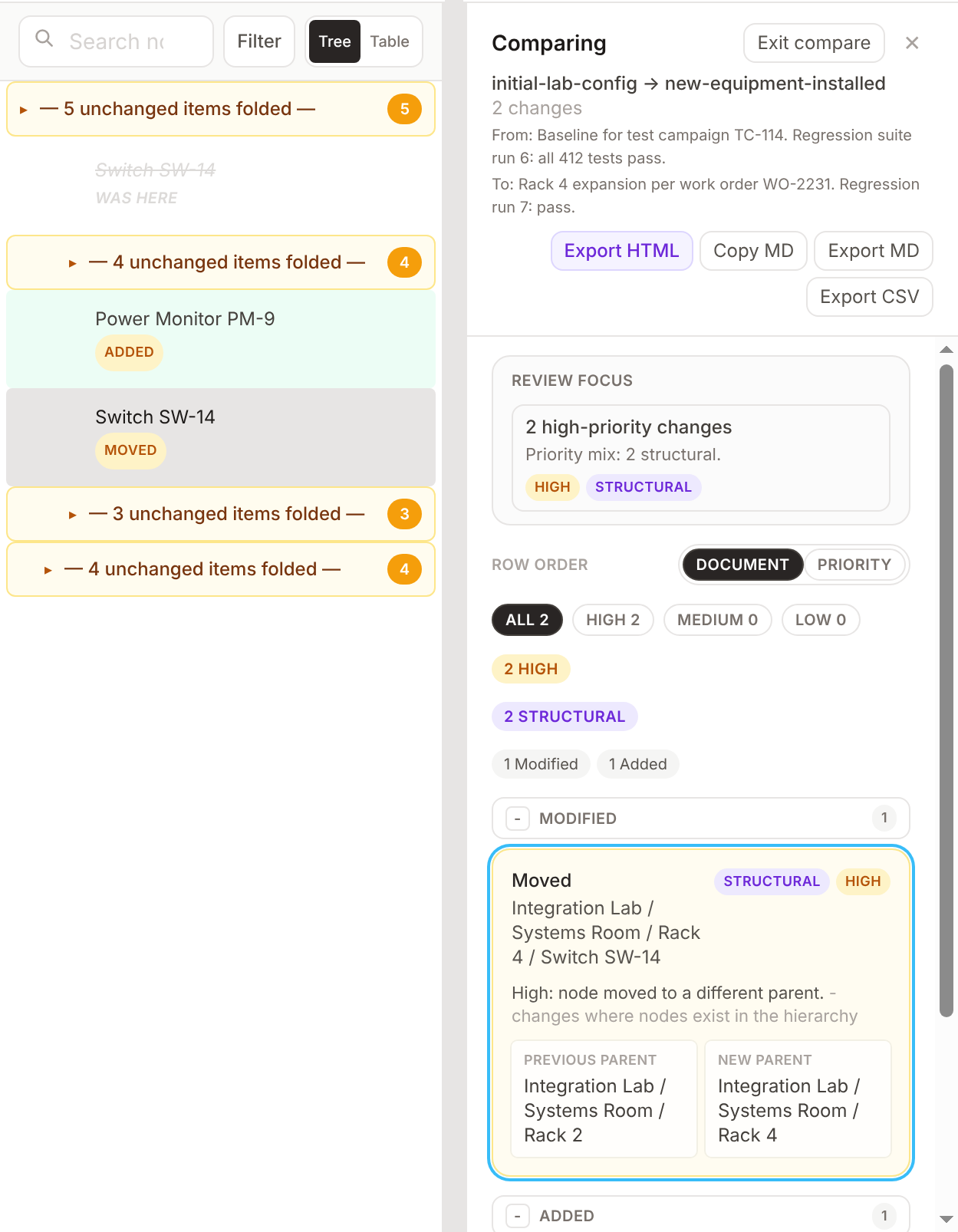
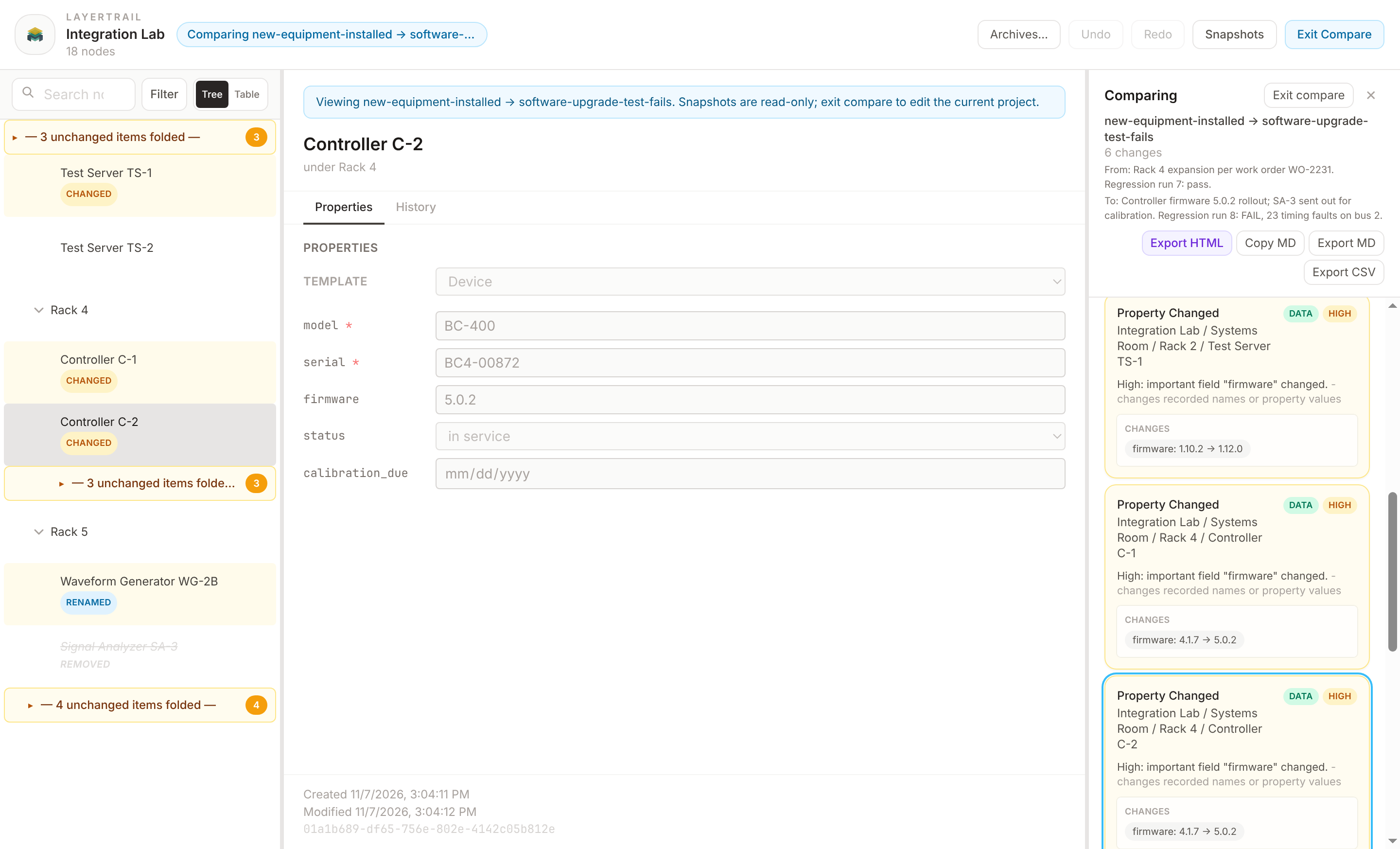
After the upgrade, the regression run fails. Comparing the last passing snapshot with the failing one narrows the search to six changes. Revert to the good configuration with a note saying why. The failed attempt stays in the timeline, so the record is complete, and the comparison exports as a self-contained HTML, Markdown, or CSV report for anyone who doesn't use Layertrail.
What it's for
Layertrail doesn't assume what your things are. You choose the levels of the tree and the properties that matter. A few of the ways it fits:
Rooms of racks, each machine with its own hardware and software versions. When a regression appears, compare the lab before and after and see the cause.
Hundreds of mechanical, electrical, and software components that change every week. Snapshot each test configuration and know exactly what was under test.
What is actually installed in the field, line by line and station by station. Record each maintenance outage and see what it changed.
One project per delivered system, or one tree of every customer. Before you ship an update, check exactly what each customer is running.
Galleries, exhibits, cases, and objects, with loans, rotations, and conservation status. Snapshot each installation and keep a record of every change.
If it has a structure, properties worth tracking, and a history you need to explain later, it fits: AV installations, vehicle fleets, network closets, stage rigs.
Is it for you?
Layertrail is free and MIT-licensed. It's in early release, so it changes quickly, and feedback from real projects shapes what comes next.
Latest: Manifest v0.1.0-alpha.1 (alpha), October 23, 2026. What's new